
Built for storm surges and every install
Storm season or scheduled installs, Dispatchee keeps inspections, crews, and customers aligned. Dispatch faster, confirm appointments, and track every job in one place.
See how automatic dispatch & live map work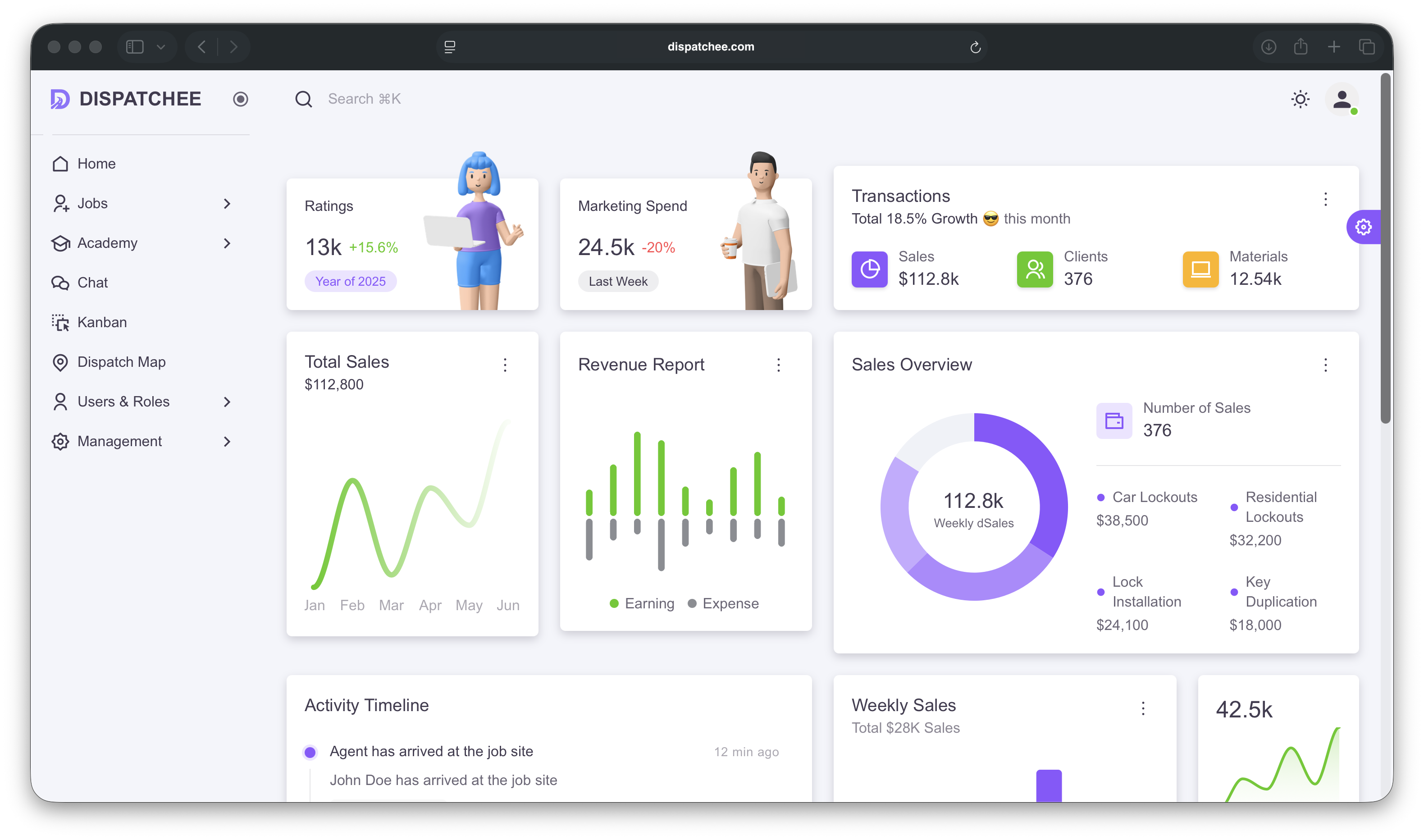
Smart Dispatch & Live Map
See every tech. Dispatch your way.
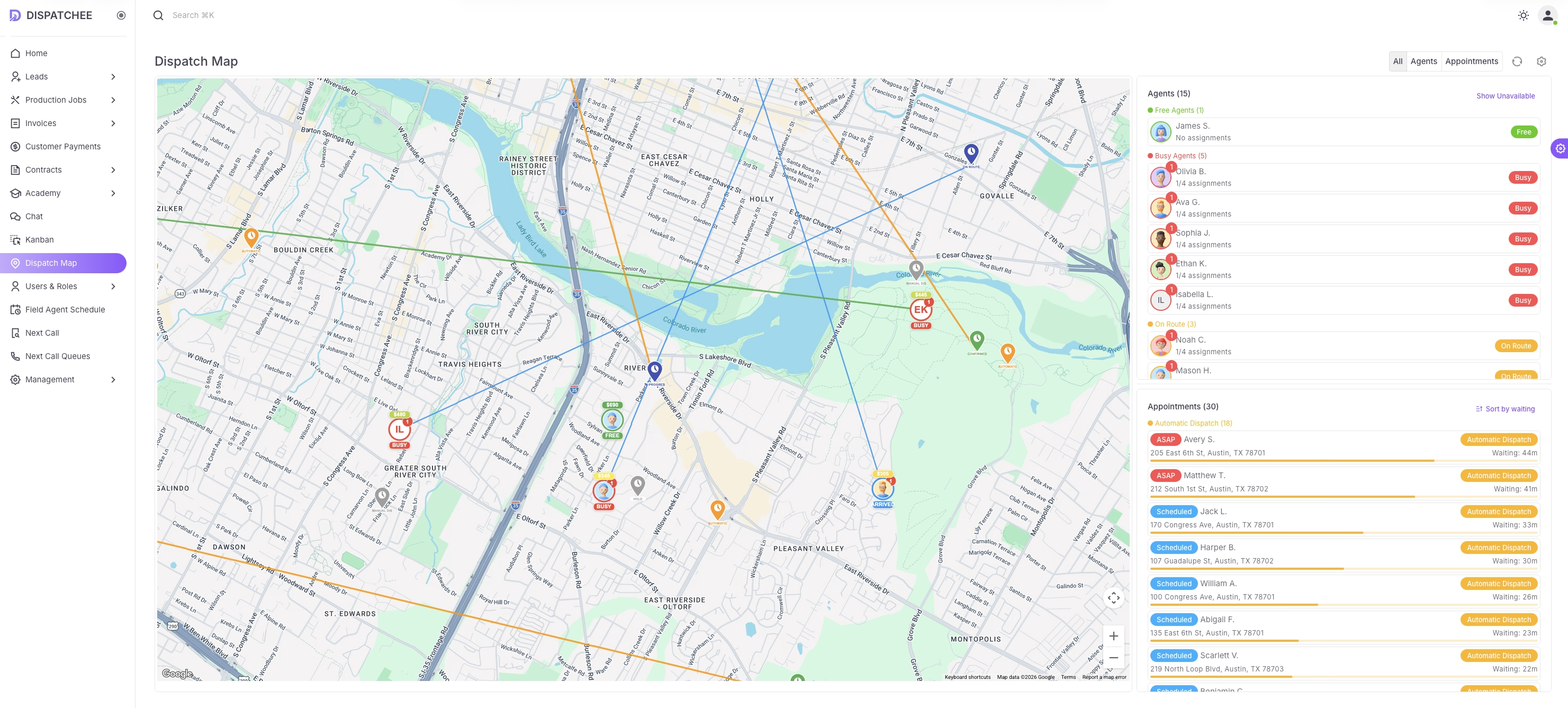
Live map with every field agent and job. Choose automatic, suggestions, or manual-you're always in control.
Switch between dispatch modes:
Fully Automatic
System assigns jobs automatically. You can always override.
Smart Suggestions
System suggests the best agent. You approve before assignment.
Manual One-Click
See the map, pick the tech, assign in one click.
Real-time locations
See every tech on the map with their current status.
Jobs on the map
Appointments pinned directly on the map-no switching between lists.
Built for emergencies
Perfect for ASAP calls, time-sensitive locksmith work, and scheduled appointments.
Live Dispatch Map
AI Calling
Let AI handle the office work
Dispatchee can take or initiate calls, schedule leads based on availability, confirm appointments, and automatically dispatch work so many teams can run with a much lighter office.
AI handles incoming & outbound calls
Answer callers instantly, call leads back, and keep every interaction logged to the job.
Schedules based on real availability
Books the right time and field agent automatically based on your rules and live calendars.
Confirms appointments (even with weather checks)
Sends confirmations, reschedules when needed, and keeps the office out of back-and-forth calls.
Auto-dispatches when the job is booked
Once the appointment is set, dispatching follows your preferred mode without extra steps.
Dashboards & Reporting
Be in control of your business
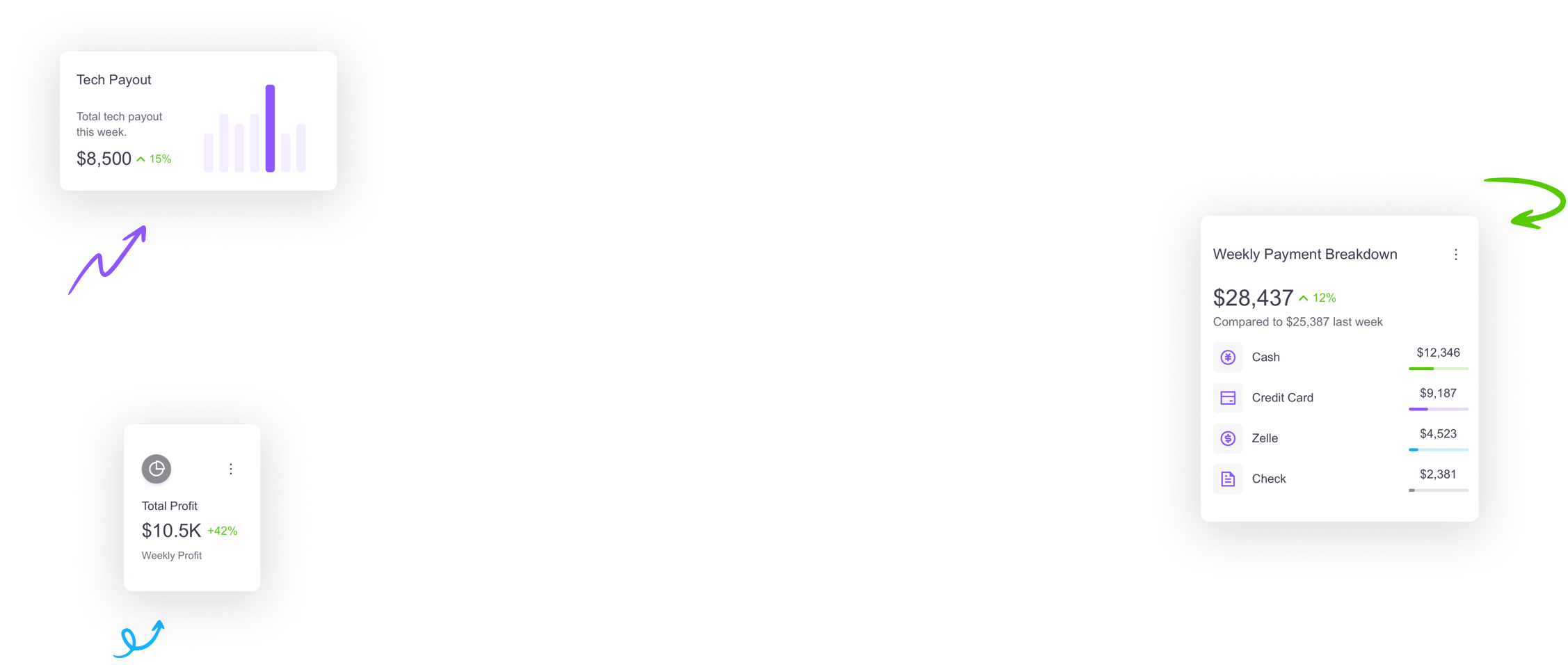
See the actual important things for your business at a glance-in real time. No weekly or monthly reports needed (but are still there if you need them).
Create widgets from all CRM data
Revenue by tech, job type, or date range
Close rates and conversion metrics
Tech utilization and job completion times
Customer lifetime value and repeat jobs
Describe your dashboard in plain words
AI builds widgets from your description
Natural language: "Show me all completed car lockouts by agent"
No technical knowledge required
Dashboards update in real-time
Control who sees what dashboard
Assign dashboards to roles or users
Techs see their own metrics
Managers see team performance
Owners see full business overview
Product Overview
Everything you need to run your locksmith shop
Dispatchee is more than a map. It keeps every job, every lesson, every conversation, phone call, workflow, and security setting in one system built for locksmiths.
Every lead and job in one place.
Central job board
ASAP vs scheduled view
Locksmith-specific jobs
Centralize every job, lead, and customer in a single board. Quickly filter by job type, status, agent, source, or date. Service areas, job sources, and services configured once and reused everywhere. Built for locksmith-specific jobs (lockouts, rekeys, auto, residential, commercial).
Train your team inside the CRM-and block access until they pass.
Build courses yourself
Text, video, and quizzes
Lock access until completion
Build your own courses with text, video, and quizzes. Turn your best practices into training that new hires must complete. Assign courses to roles or individuals and keep CRM access locked until they pass. Require completion before granting access to sensitive features. Standardize how every agent handles calls and jobs.
Stop chasing agents on WhatsApp. Chat inside your CRM.
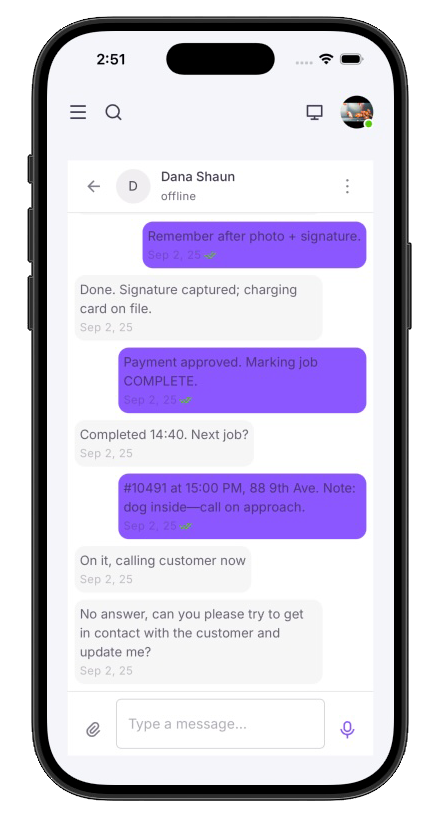
Real-time messaging
Office ↔ field sync
Company-owned history
Bring office ↔ field communication into one secure channel tied to jobs and accounts instead of personal phones. Real-time messaging between office and field agents. Threads per user or per job. Desktop and mobile experiences stay in sync. Message history stays with the company, not individual phones.
Professional phone system built right into your CRM.
Smart call routing
Privacy controls
Auto job creation
Buy phone numbers and assign them to job sources, techs, or dispatchers. When agents call, it uses the number you choose. Incoming calls route to tech or office based on job status. Techs see customer name and job ID-not the phone number-if you want privacy. Incoming calls automatically create new job cards with customer phone and job source already filled. Keep your existing phone number and campaigns-just forward calls to your new CRM numbers.
Drag-and-drop workflow for office tasks.
Visual boards
Move cards between stages
Replace sticky notes
Use Kanban boards to keep internal work visible-marketing, follow-ups, collections, and more. Boards for internal projects and non-job tasks. Move cards between stages like In Progress and Done. Connect boards back to customers and jobs. Replace sticky notes and spreadsheets with a shared board.
Lock down who sees what-down to each button.
Per-feature permissions
Role-based + user overrides
Full activity logs
Give owners, office managers, and techs exactly the access they need-no more, no less. Per-feature permissions for viewing, creating, and deleting. Role-based access with easy per-user overrides. Control who can chat with whom across the team. Full activity and device logs for every user.
And so much more
Designed for the van, not just the office.
Give every field tech a simple mobile experience: new jobs, schedule changes, and chat in their pocket.
Native mobile app
Full-featured app for field agents-no browser needed.
Push notifications
Instant alerts for new jobs, schedule changes, and messages.
Location tracking
Automatic tracking during work hours, tied back to the dispatch map.
Job details one tap away
Address, notes, price, and customer phone-all instantly accessible.
“We moved from PowerDispatch and cut our dispatch chaos in half.”
"Before Dispatchee we were juggling calls, spreadsheets, and a CRM that felt older than our trucks. After switching, we set up automatic dispatch based on our rules, and the system handles most jobs while we can still override or switch to manual mode when needed. Jobs don't slip through the cracks, and I finally know what's happening in the field without calling five people."
- Pilot locksmith customer (Michael H., Phoenix, AZ)
Ready to see Dispatchee in action?
Book a live walk-through of automatic dispatch, the live map, and training academy. We'll show you how dispatch works in automatic, half-automatic, and manual modes, and exactly how switching from your current CRM would work.
Contact Us
Let’s work together
Tell us about your dispatch workflows-our team will reach out.
Let's contact with us
Get started with the best field service CRM.

Support hours: Mon–Fri, 9am–6pm ET · Typical response within 1 business day.